
DMA Parents Option
Download the DMA Parent Option guides for Chromebook to set up your child's device access during and after school hours.
DMA Parents Option Guide for Chromebook (Updated Dec 2025)
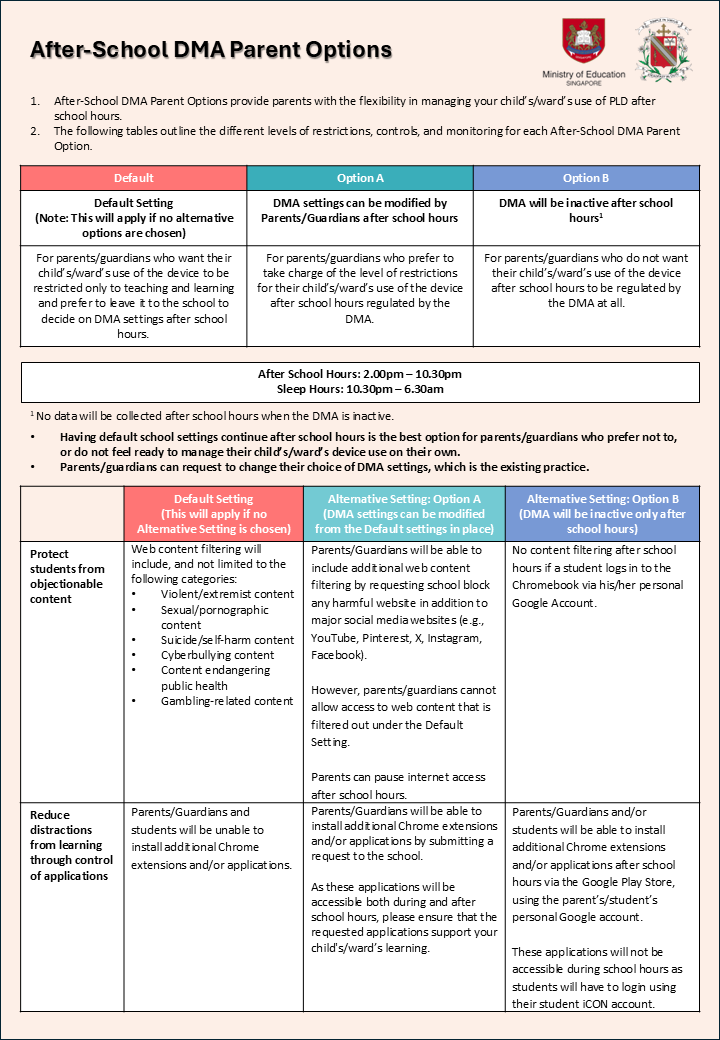
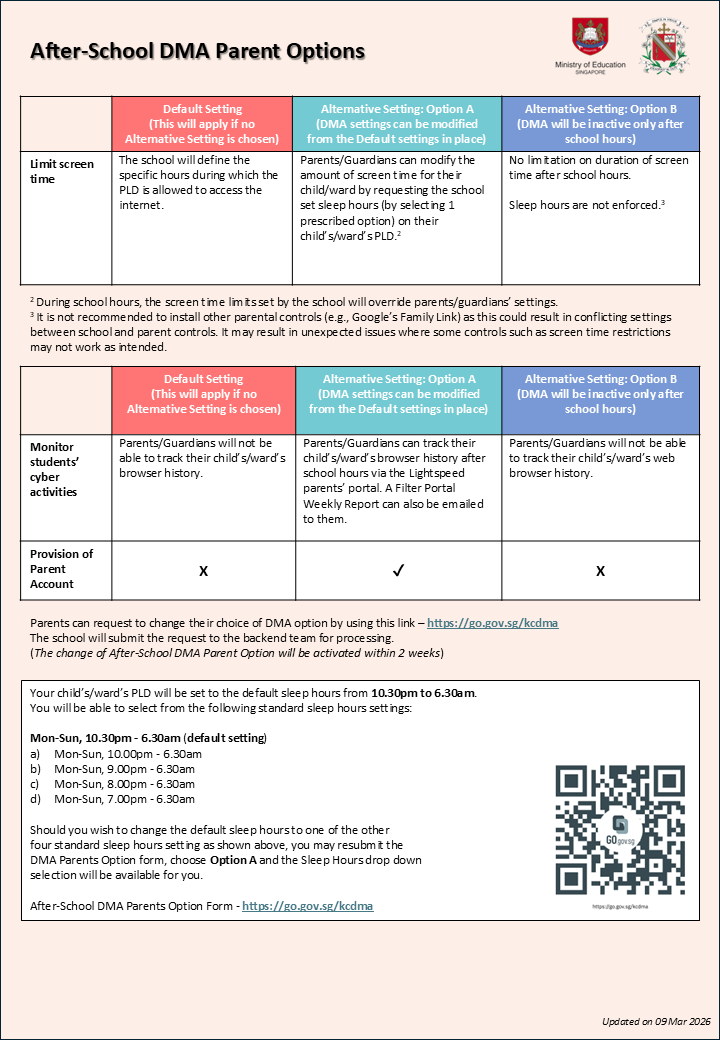
To change DMA Parents Option, please click link - https://go.gov.sg/kcdma (opens in new tab)
Option A
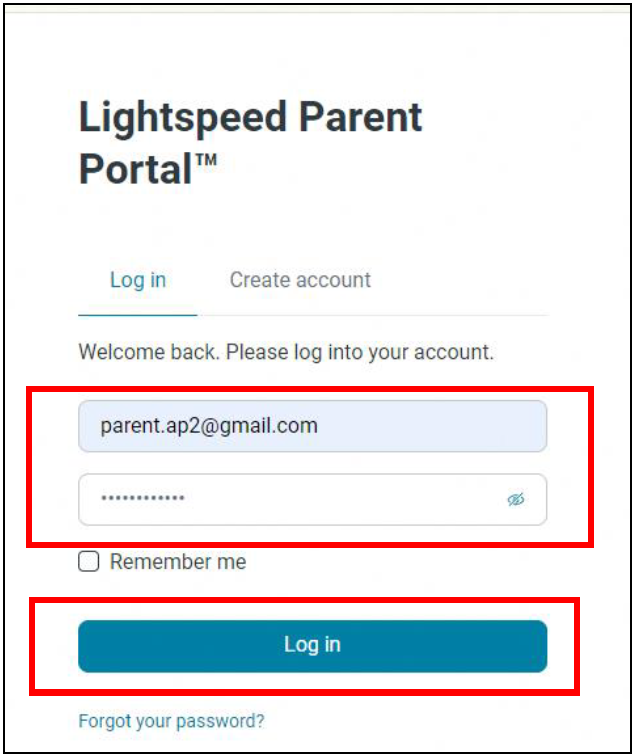
For Parents who have chosen Option A, please refer to the DMA Parent Guide - Option A (Section 4, page 8 - 11) to setup your account to access the LightSpeed Parent Portal.
Option B
During school hours, your child/ward is only able to sign in to their PLD using their Student iCON Account. The Student iCON account ends with @students.edu.sg
After school hours, your child/ward will be able to sign out from their Student iCON account and sign in using a personal Google account.
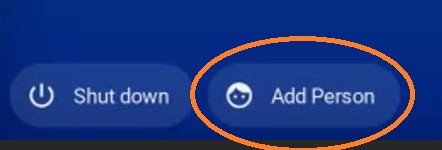
At the sign in page, your child/ward can use the “Add Person” to sign in with their personal Google account and follow the on-screen instructions.
Please refer to the DMA Parent Guide - Option B (Section 4, page 7 - 8) for details
Note: This login option is only available for Option B Chromebooks.